
Choose among the Level, Arena, and Corruption tabs on the official Last Epoch ladder. Level ranks experience progression, Arena ranks waves reached, and Corruption records the highest Corruption at which a character successfully completes an Echo. Select the achievement you want to compare, then check the class, ruleset, and event context before reading a rank.
Open the official Arena ladder, Level ladder or Corruption ladder and select your mode and season before comparing records.
A ladder is a changing view of player records, not a permanent tier list or a complete character planner. Rankings, names, and displayed characters can change after this guide is published. For that reason, this page explains how to navigate and interpret the ladders without reproducing a supposedly current top-player list.
Choose the right Last Epoch ladder
The three official ladder categories answer different questions. Their result fields are not interchangeable, even when the same character appears in more than one category.
| Ladder | Use it to compare | Main result field | Other visible character fields |
|---|---|---|---|
| Level ladder | Level-oriented progression | Level and the displayed time field | Account, character, class, and listed skills |
| Arena ladder | Arena performance | Arena Wave | Character identity and other fields shown in the selected view |
| Corruption ladder | Successful high-Corruption Echo completion | Highest Corruption of a successfully completed Echo | Character identity and other fields shown in the selected view |
If you searched for a player after hearing about a high Arena run, use the Arena ladder. A position on the level ladder does not verify that player’s Arena placement. Conversely, an Arena rank does not tell you where the same character appears on the level ladder.
The distinction matters even when both pages contain level 100 characters. On the level ladder, level and time are central columns. On the Arena ladder, the wave reached is the competitive result. The Corruption ladder measures successful Echo completion, rather than Arena waves or level. Treating these categories as one ranking can make a valid record appear missing or produce a comparison between unrelated achievements.
Use the level ladder
Open the official level ladder when your task is to inspect level progression records. The table presents ordered entries with a rank, account, level, time, character, class, and a set of listed skills.
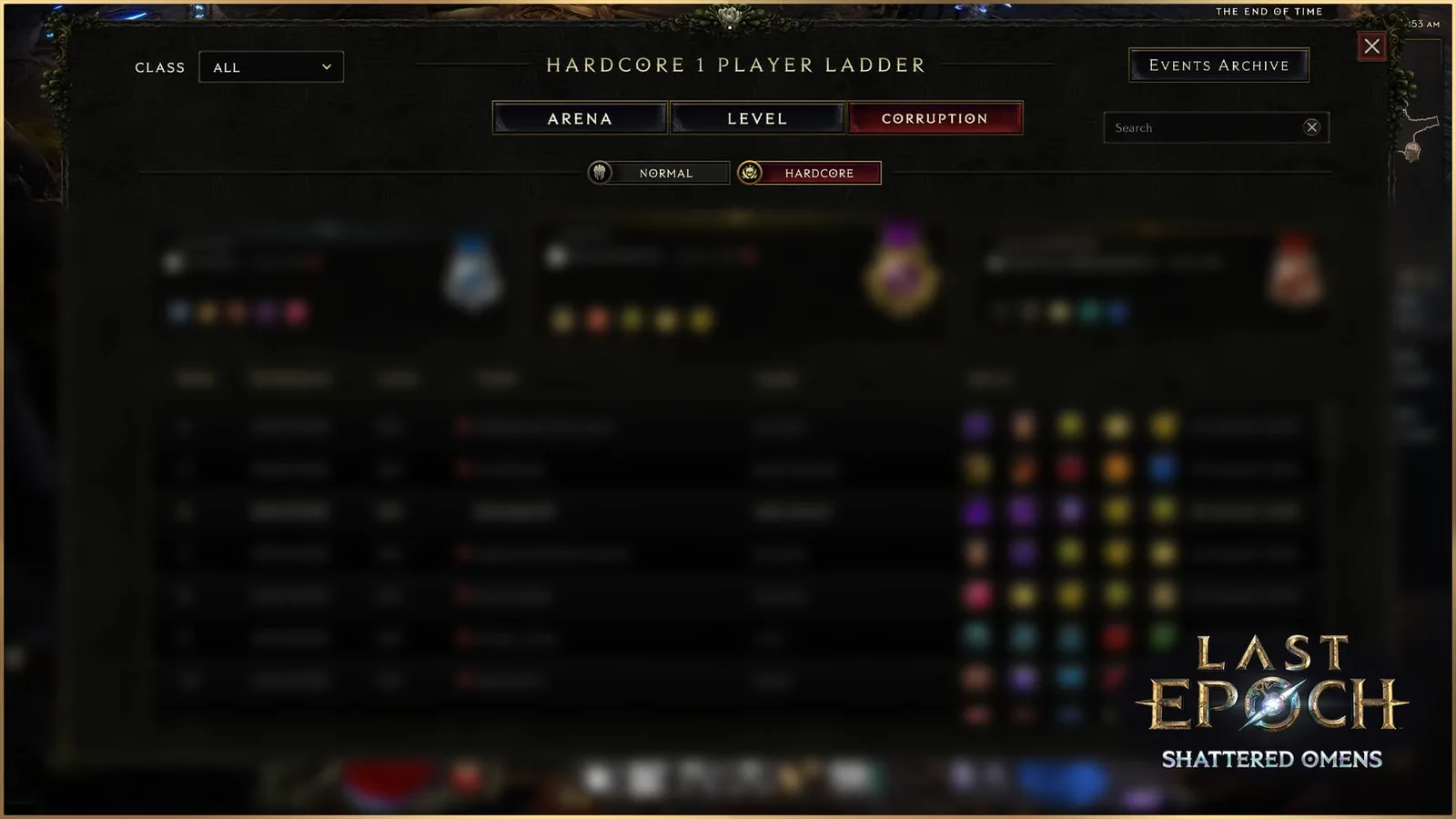
The three ladder tabs measure different results. Ranking rows in this interface illustration are blurred and do not show current standings.
Use this sequence to read it accurately:
- Confirm that the page is the level ladder rather than the Arena ladder. The presence of a Time column instead of an Arena Wave column is the clearest table-level check.
- Find the account or character you intended to inspect. Account and character are separate fields, so searching for one while reading the other can lead to a false mismatch.
- Read the level and time exactly as displayed. Do not reinterpret the time field as total playtime, a speedrun duration, or an estimate of hours played unless the live page explicitly defines it that way.
- Check the class field before drawing conclusions from the skill icons. The ladder can contain characters from Sentinel, Rogue, Mage, Primalist, and Acolyte.
- Open or inspect the listed skills only when you need to identify the visible skill setup. The ladder entry is not a substitute for a complete character configuration.
A row can show useful clues about how a character reached its displayed result, but it does not provide every decision behind that result. The official entries expose the character’s class and listed skills; the listed skills do not provide a complete inventory, passive allocation, skill-tree allocation, defensive profile, or gameplay explanation. Use the entry to identify the player and visible setup, not to reconstruct an entire character from icons alone.
The rank itself should always be read from the live table. Avoid relying on a screenshot, copied list, or article that names a current leader, because the underlying ladder can change while the copied material remains static.
Use the Arena ladder
Choose the Arena tab when you want to compare Arena Wave results. Arena performance is separate from experience progression and high-Corruption Echo completion. An Arena rank should always be paired with its wave result and active ruleset.
Use the current ladder controls before treating any position as meaningful:
- Select the Arena tab.
- Choose the class you intend to compare, or the all-class view when available.
- Confirm the Normal or Hardcore ruleset.
- Use Search to find the intended entry, checking the account and character labels wherever both are displayed.
- Check the event context. Use Events Archive when you are looking for a historical event rather than the active board.
- Read the Arena Wave value from the same row as the character.
- Record the active controls with the result if you plan to compare it later.
The filter combination defines the comparison pool. Two players can appear in different positions when the selected class, ruleset, or event changes. A historical event result should not be presented as a current-event rank. Saying only that a character is “ranked on the ladder” removes the information needed to understand that statement.
Arena Wave is also different from character level. A level 100 entry is not automatically above a lower-level entry merely because of level; the Arena ladder measures the wave result. Read the row as a unit instead of sorting mentally by whichever number looks largest.
When comparing two Arena entries, copy the ladder category, event, ruleset, class filter, rank, wave result, and character identity. Check both entries in the same view. This prevents a common comparison error: combining one player’s wave from one filtered view with another player’s rank from a different view.
Recognize historical ladder interfaces
Older ladder interfaces can show controls labeled Mode, Players, and Season. Those controls explain an older screenshot, but they should not be used as a fixed checklist for every current page. On the current interface, start with the Arena, Level, and Corruption tabs, then follow the controls actually displayed. A historical screenshot illustrates the layout at that time; it does not establish current ranks or menu options.
Use the Corruption ladder
Choose the Corruption tab to compare the highest Corruption at which each character has successfully completed an Echo. Entering an Echo at a high value, seeing that value on a Timeline, or dying before completion is not the accomplishment this ladder measures.
This makes the Corruption ladder useful when you want to inspect high-difficulty Monolith performance. It does not measure Arena waves, and it is not an experience race. A character can have a strong Corruption result without holding the same relative rank on either of the other boards.
Read a Corruption result in this order:
- Confirm that Corruption is the active tab.
- Match the class, Normal or Hardcore ruleset, and event context used by the entry you intend to compare.
- Identify the character and read its recorded successful Echo result.
- Compare it with another character only inside the same category and filters.
- If your new attempt has not appeared, first confirm that the Echo was successfully completed and that you are viewing the correct character and board. Do not assume that merely opening a higher-Corruption Echo creates a record.
A high result shows successful completion under that character's conditions. It does not prove the character clears every Echo comfortably, that the listed build is inexpensive, or that the same setup works for a different player. Use the rank as a starting point for investigating a build, rather than a promise of effortless farming.
Read a ladder entry correctly
Each ladder entry separates the player’s account from the individual character. Preserve that distinction when searching, sharing a result, or diagnosing a missing entry. A familiar account name may use a character name that looks unrelated, and multiple characters should not be assumed to represent one identical setup.
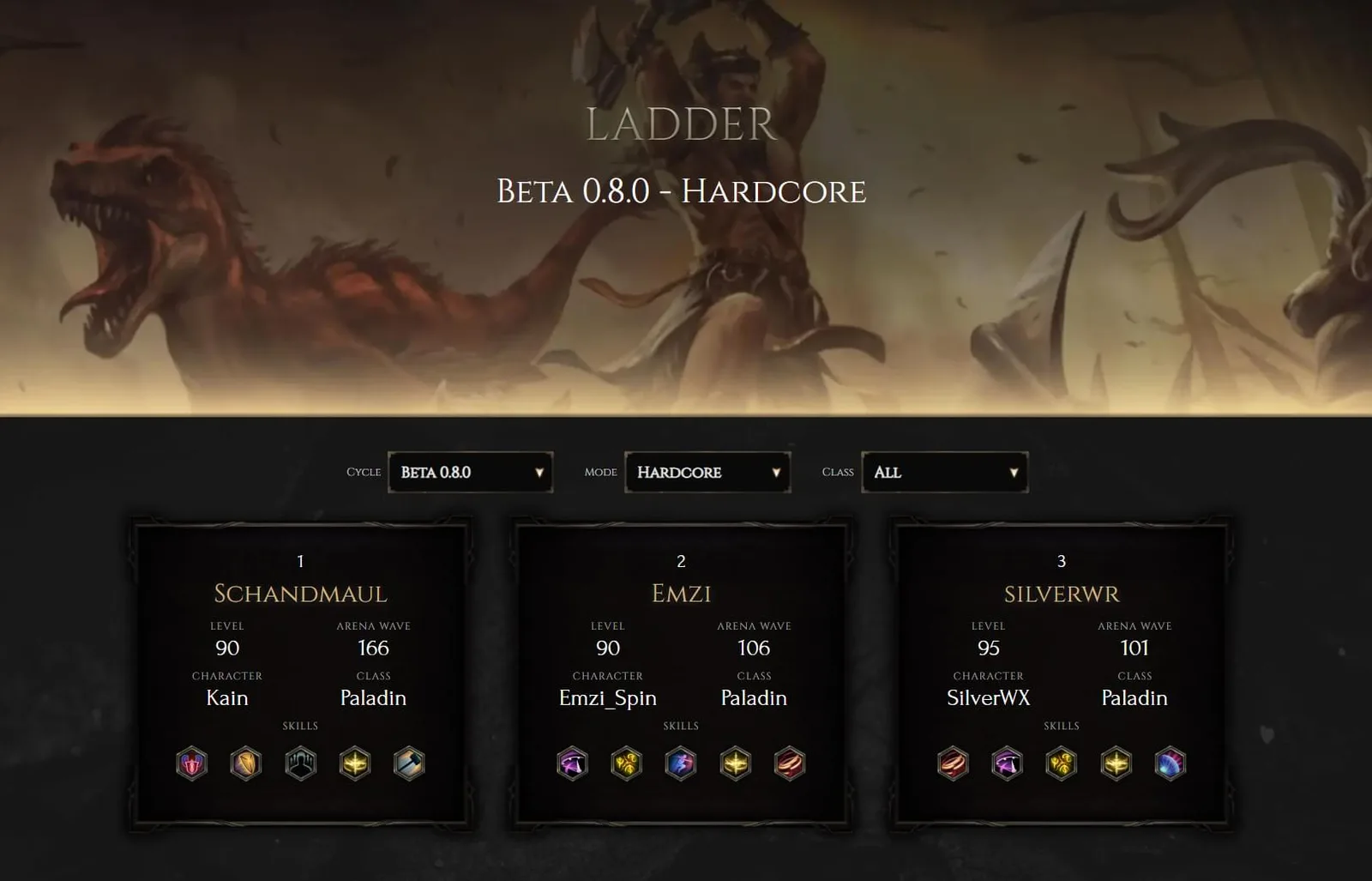
This earlier ladder interface illustrates account, character, class, level and skill fields. Its ranks are historical, and current controls may differ.
Last Epoch has five base classes and fifteen Masteries. Read a class or Mastery label exactly as the interface presents it; a base-class label alone does not establish which Mastery a character uses. Do not infer a complete build from one label or icon.
The skill area can help you recognize the visible loadout. An entry may show skill names and icons, and expanding or inspecting them can expose descriptions and costs. That is useful for confirming that you found the intended character, but the visible skills are not proof of every specialization choice. Two characters displaying some of the same skills can still differ in ways the ladder row does not show.
Use the following interpretation rules:
- Rank is the position inside the currently displayed ladder view.
- Account identifies the player account shown by the page.
- Character identifies the specific character attached to that entry.
- Level reports the character level shown in the row.
- Time belongs to the level-ladder presentation and should not be relabeled without an explicit page definition.
- Arena Wave is the result shown on the Arena ladder.
- Corruption is the highest Corruption at which that character successfully completed an Echo, when reading the Corruption ladder.
- Class should be repeated exactly as displayed.
- Skills describe the listed skill set, not a complete character configuration.
Compare ladder results fairly
A fair comparison begins with identical ladder type and filters. If any of those conditions differ, describe the records separately instead of declaring one character categorically better.
Before comparing ranks, confirm all of the following:
- Both records come from the same Level, Arena, or Corruption category.
- Both were viewed with the same relevant filter selections.
- Both belong to the same selected season when a season control is present.
- Account and character names have not been swapped.
- The numerical result was copied from the correct row.
- The comparison was observed close enough in time that a changing ladder has not invalidated it.
A ladder position can show that a character performed well under the displayed rules, but it does not by itself establish a universal class ranking. It also does not prove that the listed skills are the easiest route for another player, that every part of the setup remains unchanged, or that a similar-looking character will reproduce the result.
For the same reason, do not turn the visible class distribution near the top of a ladder into a permanent tier list. The table is a record of entries in a selected category. It is not a controlled test in which every class had identical participation, equipment, player skill, and time investment.
Keep the season and patch context separate
Last Epoch is in Season 5, Rage of the Frostborn, on version 1.5.2. A game patch and a competitive event are still different concepts. The version describes the game build; the active event or archive selection determines which set of competitive records you are viewing.
Do not assume that changing the game version automatically selects a different ladder view or proves that every displayed record was created after a particular patch. Use the active event, archive selection, and ruleset for ladder context, and use the game version when discussing the rules under which current play occurs.
This separation is especially important when reading old discussions. Earlier community reports described mismatched positions, old characters, and records appearing under unexpected categories. Those historical reports do not prove that the same behavior exists in version 1.5.2. They do show why the ladder type, filters, season, account, and character should all be checked before treating a surprising result as a game defect.
Distinguish official ladders from community racing boards
Maxroll’s Last Epoch Racing Events board is an unofficial leaderboard maintained by Maxroll and the community. It updates every few minutes and includes fields such as rank, name, level, class, Mastery, maximum Arena wave, boss completion indicators, softcore or hardcore status, and death status. Its event and ruleset filters differ from the official ladder controls.
That additional detail can be useful, but it creates a separate dataset with its own scope. An unofficial racing position should not be cited as an official Level, Arena, or Corruption position. When sharing a result, name the board as well as the category.
Use this rule:
- For an official Level, Arena, or Corruption rank, verify the result on the matching official ladder page.
- For a community racing event, verify it on that event’s board and preserve its event and ruleset labels.
- If the two boards disagree, do not merge their ranks. First confirm that they cover the same event, season, mode, player grouping, and update period.
The same caution applies to fields that exist on only one board. A mastery label or boss-completion column on a community board does not mean the official ladder exposes that field.
Troubleshoot a missing or unexpected ladder entry
When a character is absent or appears at an unexpected rank, check the view before assuming the record is lost.
- Confirm the ladder type. Use Level for experience progression, Arena for waves, and Corruption for successful high-Corruption Echo completion.
- Check account and character separately. The name you remember may belong to either field.
- Reapply the visible filters. Check the class, Normal or Hardcore ruleset, and active event or archive selection.
- Compare the correct result field. Arena uses waves, Corruption uses successful Echo Corruption, and Level uses experience progression. Do not substitute one achievement for another.
- Refresh the live page. A copied screenshot or previously opened tab may not reflect the latest table state.
- Avoid using an unofficial board as proof of an official rank. Confirm which service produced the record.
- Capture the full context if the problem persists. Include the ladder type, active filters, account, character, displayed result, and the time you observed it.
If the live official page still appears wrong after those checks, report it through the game’s supported channels. Press F8 to open the in-game bug-report tool, or submit a support ticket. A useful report should describe the exact mismatch instead of stating only that “the ladder is broken.”
Do not use a forum report from an earlier patch as confirmation of a current bug. Old reports can suggest what to inspect, but the current page and current game version determine whether the behavior can still be reproduced.
A reliable ladder-checking workflow
For routine use, reduce the process to five decisions:
- Decide whether the achievement is experience progression, Arena waves, or successful high-Corruption Echo completion.
- Open the matching official ladder.
- Set and record every relevant filter before reading the table.
- Identify the entry with both account and character names.
- Read the rank and result directly from that row, then preserve the ladder and filter context when sharing it.
This workflow is more reliable than copying a player name from a search result or treating a historical top list as current. It also gives you enough context to revisit the same category later and understand whether the rank changed, the filters changed, or you were looking at a different ladder altogether.