Last Epoch’s built-in death information is not a full, scrollable combat log. It can identify the killing source, but it does not reconstruct every preceding hit, ailment tick, critical strike, and damage value. For ordinary unmodded play, use that information with recordings and controlled tests. Community tools can add diagnostics in offline play, so the lack of a built-in combat-history interface does not mean no damage meter or death-assessment mod exists.
The game can give you information about the source of a killing blow after a death. That is useful, but it is not a complete death recap. It does not reconstruct the preceding sequence of damage, so the displayed source may only be the small final hit that finished you after a much larger hit or damage-over-time effect removed most of your health.
For practical troubleshooting, use the death information as a starting clue, record difficult encounters, separate hits from damage over time, and repeat controlled tests with only one defensive or offensive change at a time.
| Diagnostic feature | What to expect | Main limitation |
|---|---|---|
| Built-in combat history | Death feedback rather than a full event-by-event history | You cannot reconstruct every preceding hit and damage tick from the death screen |
| Death information | Identifies what dealt the killing blow | The final blow may not be the main reason you died |
| Built-in damage feedback | Not a full-fight DPS report | Individual visible damage numbers do not total an entire fight |
| Game log files | Do not assume diagnostic files export combat events | An ordinary game log is not automatically a supported combat parser input |
| Offline community diagnostics | Mods can provide death assessments or a damage meter | Mod features, accuracy, and game-version compatibility must be checked individually |
| Skill tooltips | Show information such as a skill's default base damage | A tooltip is not a record of what happened during a fight |
| External planning tools | Can preserve equipment, idols, blessings, passives, skills, and detailed build information | A planned build does not reproduce enemy behavior or the exact fight |
Community diagnostics in offline play
Two community tools address different parts of this problem. Terrible Logs – Death Assessment and Death Counter tracks deaths and what killed you, provides a movable counter, and saves gear assessments so you can compare changes. It also includes experimental boss notes. These features help organize death diagnosis; they should not be treated as proof that every combat event is captured.
LeHelper includes a damage meter alongside build-guide support, progress tracking, map utilities, and visual-performance toggles. A community meter is different from a built-in, officially supported combat-history system. Check the mod's current release and compatibility with your game version before installing it, and read which damage its meter actually includes before comparing two builds.
Keep this route within offline modding, preserve your saves before changing a modded setup, and use the tool's maintained instructions rather than inventing a parser path or console command. Do not assume an offline diagnostic mod works on online characters. If you prefer an unmodded character, the recording-and-retest workflow below remains useful.
What the death screen can and cannot tell you
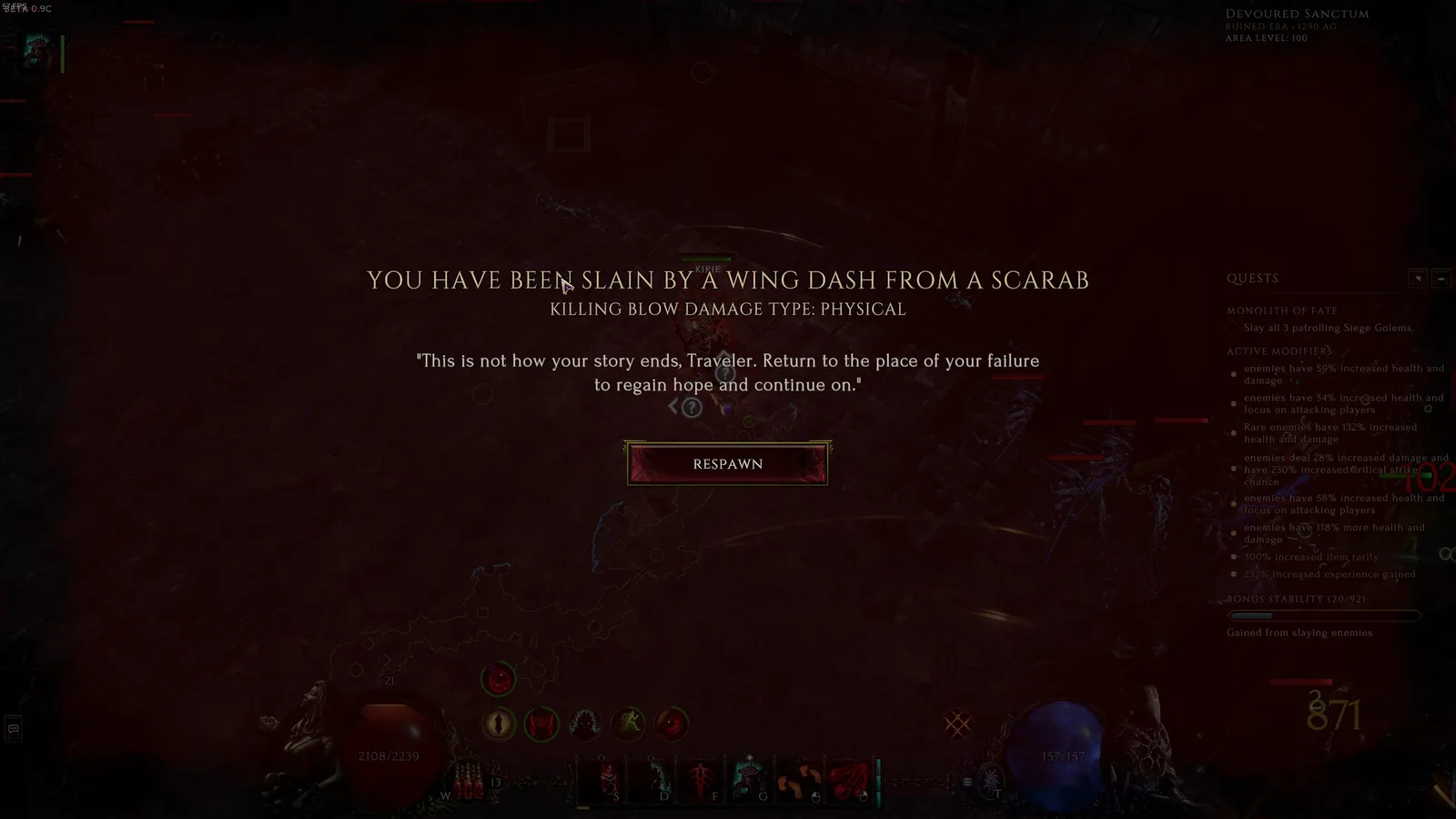
An older death-screen example identifies the killing attack and damage type, rather than a complete combat history.
Treat the death screen as a label for the final event, not as a complete explanation. If it names an enemy attack, that tells you which source reduced your remaining health to zero. It does not prove that this attack caused most of the damage in the preceding seconds.
Imagine that a large telegraphed hit removes most of your health, an ailment continues ticking, and then a minor projectile lands. The projectile may receive the final credit even though avoiding the earlier hit or addressing the ongoing damage would have prevented the death. The same problem appears when several enemies strike almost simultaneously: the last entry answers “what finished me,” while the useful question is often “what created the unrecoverable situation.”
After a death, extract only the conclusions the screen can support:
- Note the named enemy or attack, if one is shown.
- Decide whether you remember a large hit immediately before the final blow.
- Look for persistent effects that continued after you moved away from the attacker.
- Check whether several enemies, summons, or lingering abilities were active together.
- Avoid rebuilding your defenses around one displayed source until the same pattern repeats.
A single death is weak evidence. Several similar deaths in the same encounter, especially when recorded, provide a much clearer pattern.
A repeatable death-diagnosis workflow
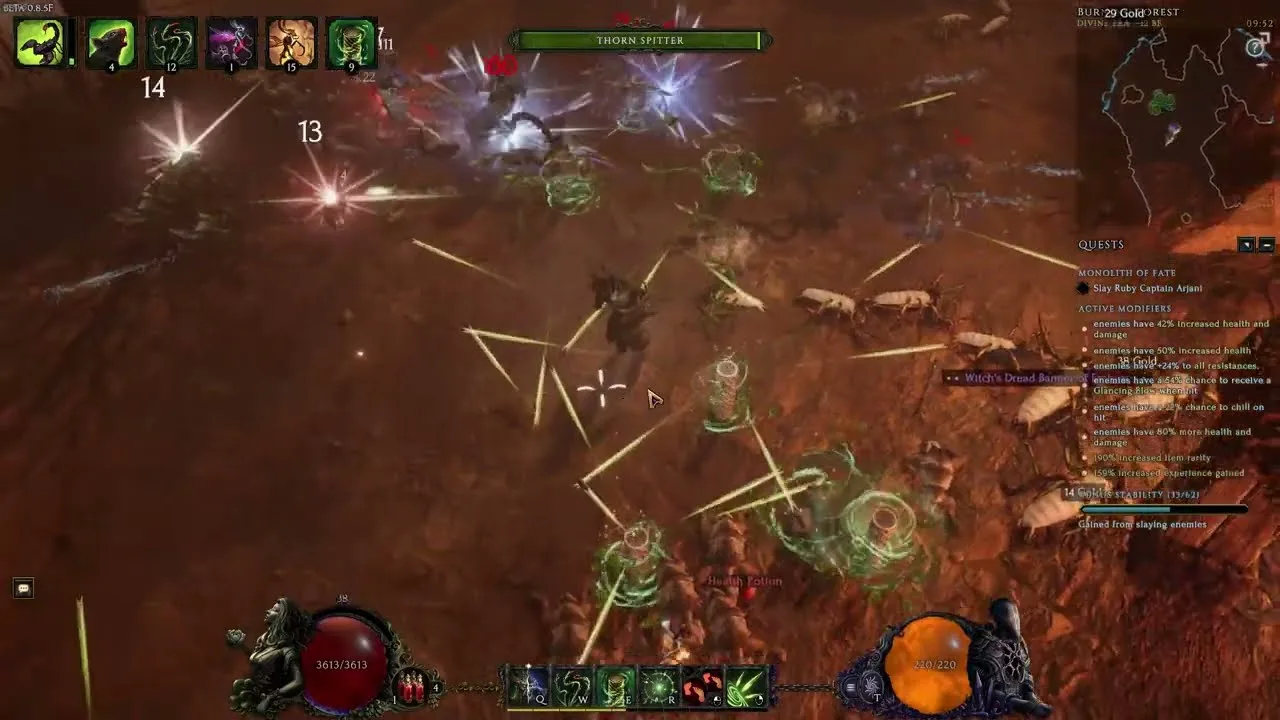
This older gameplay example shows overlapping threats that a recording can help separate.
For unmodded play without a complete combat history, a useful replacement is a short controlled investigation. The goal is not to calculate every hidden number. It is to identify the kind of damage creating the failure and find one change that prevents it.
1. Recreate the same situation
Return to the same encounter or a closely comparable one. Keep the relevant difficulty and encounter conditions as consistent as practical. Comparing a boss attempt with an unrelated echo full of different enemies and modifiers introduces too many variables.
Do not change several pieces of gear, multiple passive points, and your play pattern before retesting. If the next attempt succeeds, you will not know which change mattered.
2. Record the encounter
Use a short screen recording that includes the seconds before the death, the visible combat area, your health state, and the death information. Slow playback is more useful than trying to remember a crowded fight after it ends.
When reviewing the clip, start several seconds before the final blow. Look for this sequence:
- The first major loss of health.
- Any effect that remains on your character or the ground.
- A delayed enemy attack or lingering damaging ability.
- Your opportunity to move, recover, or disengage.
- The source credited with the final blow.
This sequence distinguishes the initiating mistake from the attack that merely finished the character.
3. Classify the damage as a hit or damage over time
Last Epoch divides damage into hits and damage over time. This distinction changes which defenses and test results are relevant.
A hit is any damage source that is not damage over time. Common damaging skills can include hits. Hits can interact with dodge, block, glancing blows, critical strikes, and effects that trigger when you are hit.
Damage over time repeatedly damages a target or an area for a duration. Ailments such as ignite, bleed, and poison are common examples, while effects such as Fire Aura, Tornado, and Consecrated Ground can deal damage over an area. Damage over time cannot critically strike and does not trigger on-hit effects such as Health Gained On Hit. Dodge, block, and glancing-blow mechanics do not solve it in the same way they solve hits; resistances remain relevant to matching damage types.
Use visible behavior to form a working classification:
- A sudden health drop synchronized with an impact suggests a hit.
- Health continuing to fall after the impact or after leaving the attacker suggests damage over time or a lingering area effect.
- Repeated discrete impacts from several enemies may look continuous at full speed, which is another reason to review a recording.
- A final small hit does not rule out a damaging ailment or earlier heavy hit as the real cause.
Do not infer an exact damage amount or type when the interface and encounter do not make it clear. The purpose of this step is to choose the next test, not to manufacture a complete log from visual clues.
4. Change one defensive variable
Choose a change that matches the suspected damage pattern. Then repeat the encounter without changing your entire build.
If a large hit appears to be the problem, test a single relevant defensive improvement or a safer response to that attack. If health continues falling after contact, first examine the relevant resistance and whether you are remaining inside a damaging area. If the failure only happens when several enemies overlap their attacks, test positioning and target priority rather than treating the last displayed attack as an isolated threat.
Keep the successful change only after it produces a repeatable improvement. One lucky dodge, different enemy behavior, or faster kill can make a weak defense look fixed.
5. Separate prevention from recovery
A recording helps distinguish two different failures. The first is taking too much damage from the initiating event. The second is failing to recover before the next event arrives.
If one impact removes nearly all available health, investigate the impact and how it could have been avoided or mitigated. If the initial loss is survivable but the character remains vulnerable for several seconds, examine movement, recovery opportunities, and continuing damage. These cases can end with the same credited killing blow while requiring different solutions.
6. Repeat the test
Run enough attempts to see whether the same pattern returns. A useful conclusion sounds like “this attack repeatedly causes the first major health loss” or “health continues falling after I leave the enemy.” A weak conclusion sounds like “the death screen named this attack once, so all defenses should be changed around it.”
Keep brief notes with the encounter, suspected damage pattern, single change, and outcome. This small manual record is far more useful than an uncontrolled list of unrelated deaths.
7. Report behavior that appears broken
A combat log and a bug report serve different purposes. If an effect does not match its description, a damaging visual appears disconnected from its actual location, or an ability behaves inconsistently, use the in-game bug-report tool with F8. Include the encounter, skill or enemy involved, online or offline mode, and the shortest sequence that reproduces the problem.
Do not treat an unexplained death as proof of a bug. First rule out overlapping attacks, lingering effects, and the difference between the initiating damage and the final blow.
A controlled way to compare damage
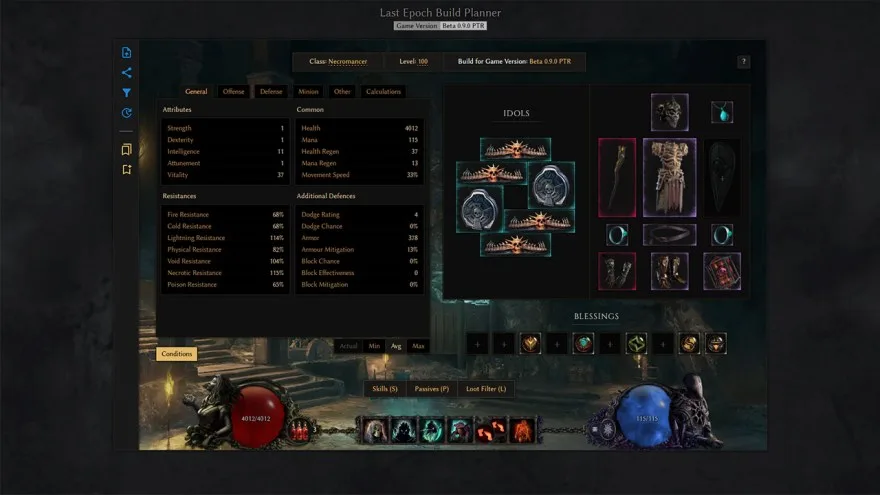
An older planner interface illustrates how to keep equipment, stats, Idols, and skills fixed between comparisons.
The built-in damage feedback is not a full fight record that totals every hit and damage-over-time tick. Compare setups under controlled conditions instead of relying on one dramatic damage number. If you use a community meter in offline play, check what it counts and keep the same target, rotation, and test window before drawing conclusions.
Start by preserving the exact setup you are testing: equipment, idols, blessings, passives, skill trees, and relevant skill choices. A build planner can help keep those configurations separate, but it does not replace an in-game test.
Next, compare one change at a time against the same type of target. Keep your rotation and test duration as consistent as possible. Repeat each configuration rather than accepting the first result.
Skill tooltips provide a useful mechanical starting point. Damage-dealing skills have base damage, and their tooltips provide a useful starting point for examining that damage. Added damage is multiplied by the skill's added-damage effectiveness before increased and more damage modifiers are applied. That explains why equal-looking added-damage changes do not necessarily affect every skill equally.
Hits and damage over time must also be evaluated separately:
- A hit can critically strike and interact with on-hit mechanics.
- Damage over time cannot critically strike.
- Damage over time does not trigger effects such as Health Gained On Hit.
- A build with ramping ailments may look weak at the start of a test but improve over a longer, repeatable window.
- A build with large individual hits may show impressive peaks without producing the best sustained result.
Time-to-kill comparisons can be useful, but only when the target and conditions are comparable. Random enemy movement, different encounter modifiers, missed attacks, additional targets, and defensive phases can distort the result. Treat small differences cautiously.
| Question | Useful method | What the result does not prove |
|---|---|---|
| Which setup kills the same target faster | Repeat comparable attempts with one build change | That it is universally stronger in every encounter |
| Whether added damage helps a skill | Check base damage and added-damage effectiveness, then retest | The exact value of every hidden calculation |
| Whether an ailment setup is improving | Use a consistent test window long enough for repeated damage | That one large visible number represents total DPS |
| Whether a defensive change prevents a death | Recreate the same dangerous attack several times | That the build is safe against every damage type |
| Whether an effect may be malfunctioning | Record a repeatable example and submit it through F8 | That every unexpected outcome is a game bug |
Common mistakes when working without a combat log
Treating the killing blow as the whole cause
The most important damage may occur before the source shown after death. Review the full sequence and identify the first major health loss, not just the final event.
Changing the entire build between attempts
Multiple simultaneous changes destroy the comparison. Adjust one meaningful variable, repeat the encounter, and record the result before making the next change.
Mixing hits and damage over time
A defense that interacts with hits may not answer a persistent damaging effect. First determine whether the danger is a discrete impact, repeated separate impacts, an ailment, or an area effect that continues over time.
Using tooltip damage as a combat record
A tooltip describes a skill under the game's calculation rules. It does not show the actual sequence of critical strikes, missed attacks, ailments, enemy movement, or overlapping targets in a specific fight.
Trusting one time-to-kill attempt
A single run can be changed by positioning, enemy actions, missed casts, or encounter phases. Repeat the comparison and look for a stable difference.
Searching for undocumented log files or addons
Do not follow instructions that invent an official combat-log path, console command, addon API, or parser workflow. Game diagnostic files should not be assumed to contain a complete fight history. Named community mods are a separate option: follow their current documentation and verify their scope instead of treating a mod feature as built-in support.
The shortest practical answer
If you only need to understand a death, record the encounter, read the displayed killing source, rewind to the first large health loss, classify the danger as a hit or damage over time, and test one matching change. If you are comparing damage, preserve the build configuration, use the same target and conditions, and repeat the test.
That process will not produce an exact event-by-event transcript, but it answers the decision that matters: which attack or effect is creating the failure, and which single change reliably improves the outcome.