Last Epoch is Steam Deck Verified in the current Steam store listing, and it can provide a good handheld ARPG experience. That rating does not mean every area or build will maintain the same frame rate. Historical player reports consistently separate a relatively smooth early campaign from heavier encounters, visually busy builds, multiplayer sessions, and Monolith endgame maps where performance can fall sharply.
A conservative starting experiment based on older reports is native 1280 × 800 resolution, Fullscreen mode, a 30 FPS cap, and the Very Low graphics preset with selected effects raised only after testing. Controller support handles normal combat well, but keeping a trackpad configured as a mouse makes inventories, skill trees, crafting, and occasional interface problems much easier to manage.
This guide is reviewed against Last Epoch 1.5.2.1. This guide has no controlled Steam Deck benchmark for that exact hotfix. Older frame-rate reports help identify troubleshooting patterns; they do not guarantee current performance.
Is Last Epoch good on Steam Deck
Yes, provided you accept three limitations: demanding combat can reduce performance, some interfaces remain easier with a pointer, and historical reports describe severe slowdowns during long or endgame sessions. The current Verified label supports the basic compatibility decision, while player reports explain why the experience can still vary by area, build, and session length.
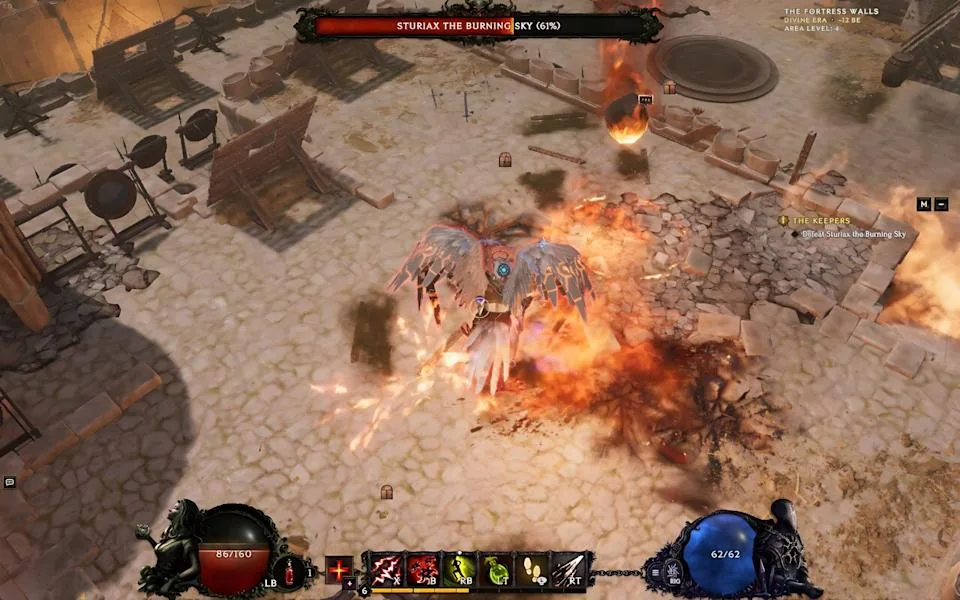
Historical Steam Deck gameplay example from a March 2024 guide; this is not a benchmark for version 1.5.2.1.
One player discussion describes a steady experience at a 30 FPS cap and Medium graphics, with occasional movement stutter in intense encounters, muddy asset loading, and incomplete controller behavior in parts of the interface. Earlier testing found that many areas could run above 30 FPS, but dense scenes with dozens of enemies and heavy skill effects caused substantial drops. Those two observations are compatible: the game can feel stable during ordinary play while still struggling under its worst workloads.
Use the following decision table before treating the Verified badge as a promise of uniform performance.
| Your priority | Steam Deck fit | Important condition |
|---|---|---|
| Campaign play on a portable device | Good starting use | Begin with a 30 FPS cap and test each new area before raising quality |
| Offline solo play | Supported | Offline characters cannot later be transferred to online mode |
| Online co-op | Supported, but more demanding situations are possible | Additional players and effects can increase the visual load |
| Controller-only combat | Generally practical | Some interfaces and precise targeting remain easier with a trackpad or mouse |
| Dense endgame farming | Variable | Historical reports identify Monoliths and effect-heavy builds as common stress points |
| Locked high frame rate in every encounter | Not established by the player reports | Even low settings did not prevent every reported drop |
Last Epoch also supports Steam Cloud, a 16:10 display format, and a complete offline mode. Choose online or offline deliberately when creating the character because those character pools cannot be converted into each other later.
Steam Deck settings to test first
Start from a stability-focused configuration instead of tuning for the highest number visible in a quiet opening area. The campaign becomes more demanding, and a setting that looks comfortable in town may fail once enemies, minions, ground effects, and party skills fill the screen.
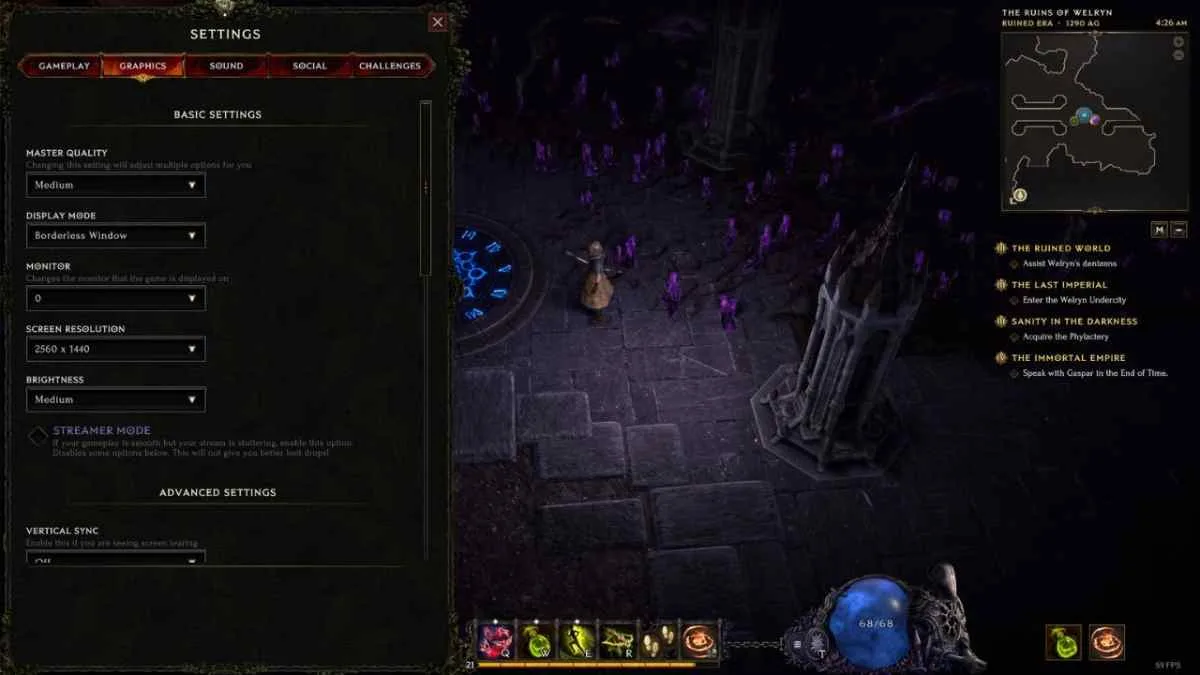
PC graphics-menu example showing adjustable settings; this is not a Steam Deck test result.
| Setting | Starting value to test | Reason |
|---|---|---|
| Resolution | 1280 × 800 | Uses the Deck’s native 16:10 display without immediately sacrificing text clarity |
| Display mode | Fullscreen | Multiple older reports found Fullscreen more reliable than Borderless Windowed |
| Frame-rate limit | 30 FPS | A conservative target suggested by older player testing |
| Master quality | Very Low | Creates headroom for dense combat rather than optimizing only the opening areas |
| Shadows | Low | Restores some visual definition without starting from the full Low preset |
| Grass | Low | Adds limited environmental detail while preserving most of the performance-first setup |
| Ambient occlusion | Low | A modest visual upgrade to test after establishing a stable baseline |
| TDP limit | Leave unrestricted during initial testing | A low power cap can hide whether the game or the power limit caused a drop |
| Compatibility tool | Steam default first | The current store lists the game as Verified; forced Proton versions are troubleshooting options, not mandatory setup |
| Trackpad | Mouse input | Provides a fallback for menus, inventory actions, and controls that do not respond cleanly to the gamepad |
Apply these values before a long session, restart the game after changing display mode, and test them in actual combat. Do not judge the configuration only from the character screen or the first campaign zones.
Once the baseline is stable, raise one option at a time. Medium quality has worked for at least one recent 30 FPS player report, but older testing found that it became less reliable after the early campaign. Raising several settings together makes it difficult to identify which change caused a regression.
Avoid aggressive resolution reduction as the first response. Older users tried very low resolutions without eliminating some Monolith slowdowns, while other reports already describe small or difficult-to-read text. Lower resolution may trade interface clarity for little benefit when the underlying problem is session degradation or an unusually demanding encounter.
What performance to expect
Performance is workload-dependent. Quiet zones and early campaign combat are not reliable predictors for endgame echoes. Builds that produce many minions, repeated projectiles, persistent ground effects, or other dense visuals can be substantially harder on the Deck than simpler builds in the same area.
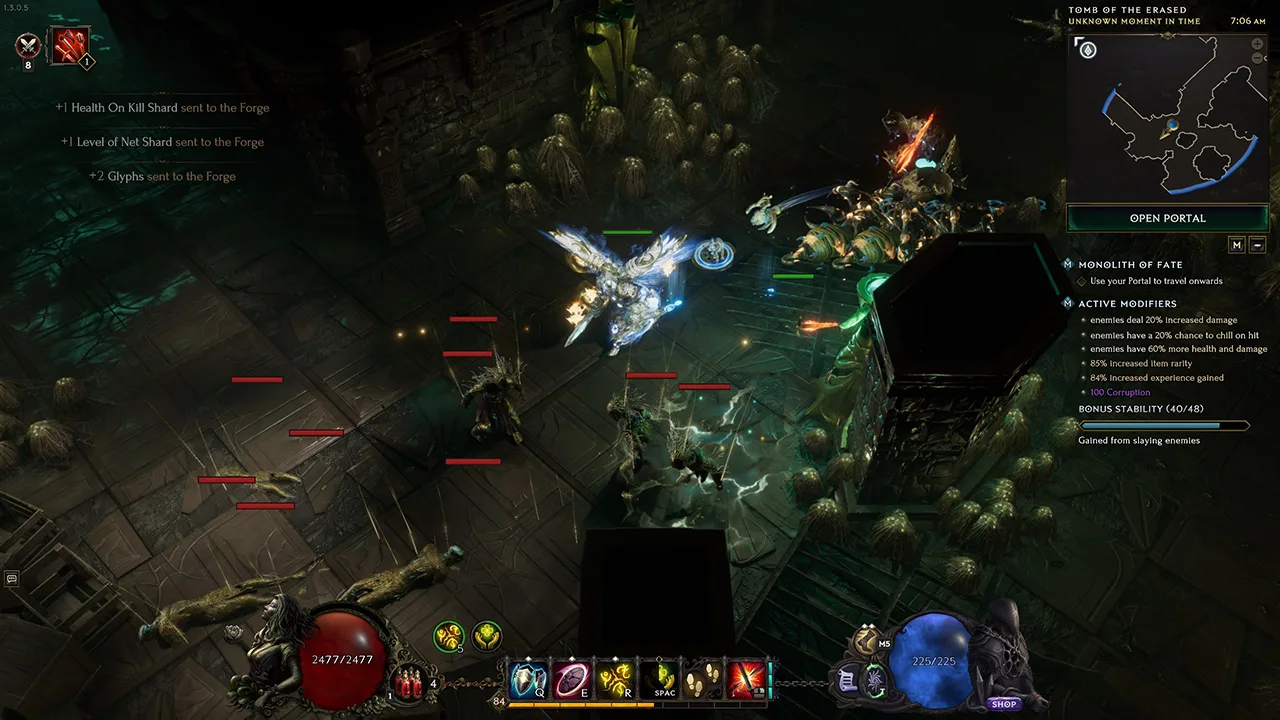
Historical PC Monolith gameplay from August 2025 illustrating a busy scene; this image does not measure Steam Deck performance.
Historical player testing offers a useful pattern, but not a current guarantee:
- Ordinary areas were often playable at approximately 30 FPS or above.
- A 30 FPS cap produced a more consistent experience than chasing 40 or 60 FPS.
- Dense groups, bosses, multiplayer effects, and some specific areas caused visible drops.
- Monolith endgame content generated several reports of severe stutter or near-unresponsive play.
- Some users saw performance deteriorate over time and recover only after restarting the game or the Deck.
- Controller and interface issues could occur even when frame rate remained acceptable.
Treat a sudden collapse from normal play to extreme input delay differently from a modest frame-rate dip. A repeatable drop that begins as soon as a specific busy encounter starts is likely a workload problem. Performance that becomes progressively worse across multiple zones or after leaving the game running points toward session degradation reported by historical users. If a restart immediately restores normal behavior, lowering graphics alone may not address the underlying pattern.
Battery behavior will also change with the scene and frame target. Older tests observed much higher power draw during demanding areas. Establish stable gameplay without a manual TDP restriction first, then reduce power gradually while retesting dense combat. A power setting that survives an empty town is not validated for an echo.
Controller and interface setup
Normal movement and combat are well suited to the Deck’s gamepad controls, but Last Epoch contains inventory, crafting, vendor, passive-tree, and targeting interactions originally designed around pointer input. A hybrid layout is therefore more practical than insisting on gamepad-only operation.
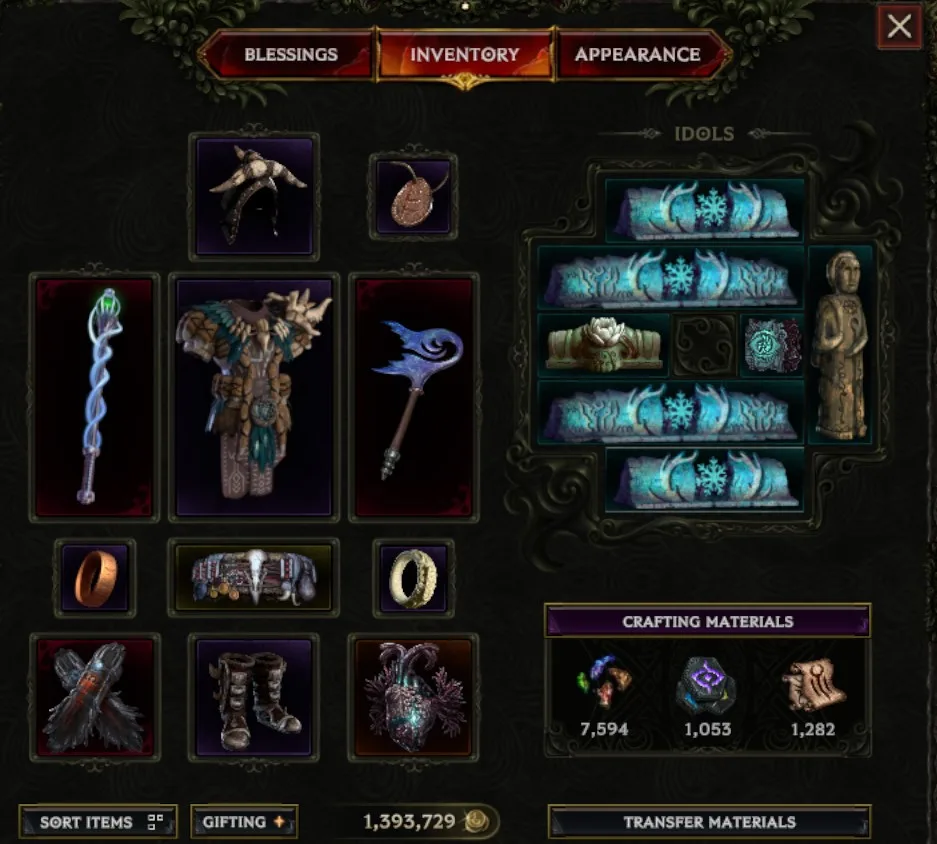
Inventory example showing small item and Idol slots where pointer-style input can help; this is not a Steam Deck screenshot.
Configure one trackpad as a mouse and assign an accessible click. Grip buttons can also hold frequently used interface commands, although the exact layout should match your own habits. The goal is not to replace the official controller scheme; it is to provide a reliable escape route when a menu element cannot be selected efficiently.
The current Steam listing includes adjustable text size among the game’s accessibility features. Increase it if item details or passive descriptions are uncomfortable at normal handheld distance. Keep native resolution while testing text settings, because lowering resolution or using aggressive scaling can make already dense interfaces blurrier.
Older reports identify several controller-specific friction points:
- Some menu options did not highlight correctly.
- A controller button used to close a menu could also trigger an assigned skill.
- Moving the right stick on the map could interfere with gamepad navigation.
- Certain inventory, vendor, and item-placement actions were easier with a cursor.
- Precise ground or minion targeting could make particular builds awkward on a controller.
These observations do not prove that every issue remains in version 1.5.2.1. They do justify keeping pointer input available and testing a build’s targeting requirements before committing to it as a Deck-only character.
Online, offline, and portable play
Offline mode is useful when connectivity is unreliable, but it should not be treated as a universal performance fix. It removes dependence on an online session, not the graphical load from enemies, effects, or endgame maps. Historical offline players still reported both good experiences and interface or performance compromises.
Choose the mode according to the features you need:
- Select online if you want online co-op, the player-driven marketplace, or online rankings.
- Select offline if you want a self-contained solo character that does not require those online systems.
- Do not create an offline character as a temporary substitute for an online one. Online and offline characters cannot be transferred between modes.
- If movement rubber-bands while the frame counter appears stable, compare an offline session with an online one before assuming the graphics settings are responsible.
- If both modes slow down in the same dense scene, prioritize graphics and session troubleshooting instead of network changes.
Steam Cloud support is listed on the store page, but you should still confirm that the expected character appears before relying on another device. Historical Proton reports included cloud-save and offline-character irregularities, and they should be treated as warnings to verify the save rather than proof of a current universal fault.
Fix stutter, missing graphics, and Monolith slowdowns
Use a short diagnostic sequence so that each change answers a specific question. Do not install third-party tools or alter firmware settings before confirming that ordinary settings and a clean restart fail.
Step 1: Restart after sudden degradation
Exit Last Epoch completely and relaunch it. If performance has fallen to extremely low frame rates, inputs take seconds to register, or the problem appeared only after an extended session, restart the Steam Deck as well. Historical players repeatedly reported that a restart temporarily restored performance after severe degradation.
If the same area runs normally immediately after the restart, record the approximate session length and the activity that preceded the slowdown. That pattern is more useful than repeatedly lowering resolution.
Step 2: Return to the stable baseline
Set 1280 × 800, Fullscreen, a 30 FPS cap, and the Very Low preset. Leave the TDP unrestricted. Retest the same encounter. If it now behaves acceptably, raise only Shadows, Grass, and Ambient Occlusion to Low, one change at a time.
If the problem remains limited to one effect-heavy echo or build, the Deck may simply lack enough headroom for that workload. A simpler visual configuration or a less effect-intensive build is then more realistic than expecting one global setting to lock every encounter.
Step 3: Separate frame loss from network behavior
Frame loss normally affects animation, responsiveness, and the frame counter together. Network trouble can produce rubber-banding or delayed movement even when rendering looks smooth. Compare another region if the online settings provide that option, or test an offline character without assuming the two character pools can be merged later.
Step 4: Use Proton Experimental only for a matching symptom
Older reports used Proton Experimental to address missing textures, absent map elements, character-screen graphics, controller focus, or offline-character access. Other users found native or default behavior preferable. Because the game is now listed as Verified, begin with Steam’s default selection.
Switch to Proton Experimental when you have a visual or interface symptom that matches those historical reports. Change only the compatibility tool, restart the game, and compare the same screen. Revert if performance or stability becomes worse.
Step 5: Treat community system tweaks as last-line experiments
A 2025 forum report said changing the Steam Deck UMA frame buffer from 1 GB to 4 GB improved severe Season 2 Monolith performance, and two replies reported success. Other historical users recommended CryoUtilities for apparent memory-related crashes, while a later report said SteamOS and Proton improvements had removed that need before another update caused new problems.
That evidence is anecdotal, version-bound, and internally inconsistent. Those older reports do not justify a BIOS change or CryoUtilities as the default setup for version 1.5.2.1. Consider them only after documenting repeatable failure, checking current Deck and game updates, and accepting that third-party or firmware-level changes carry more risk than ordinary game settings.
Practical buying and play decision
Last Epoch on Steam Deck makes the most sense as a portable campaign machine, a way to continue a controller-friendly character away from a desktop, or a handheld option for less demanding farming. It is a weaker choice if your purchase depends on a locked high frame rate, flawless gamepad navigation through every system, or guaranteed endgame stability with visually intensive builds.
The current Verified status means you can reasonably start without elaborate compatibility work. Use a conservative 30 FPS profile, keep mouse input on a trackpad, and validate performance again when you reach Monoliths. If the game remains stable there, tune visual quality upward. If performance collapses only after long sessions, restart and diagnose that behavior before sacrificing resolution. If precise targeting defines your build, test it early enough to decide whether that character belongs on the Deck or on a mouse-and-keyboard PC.