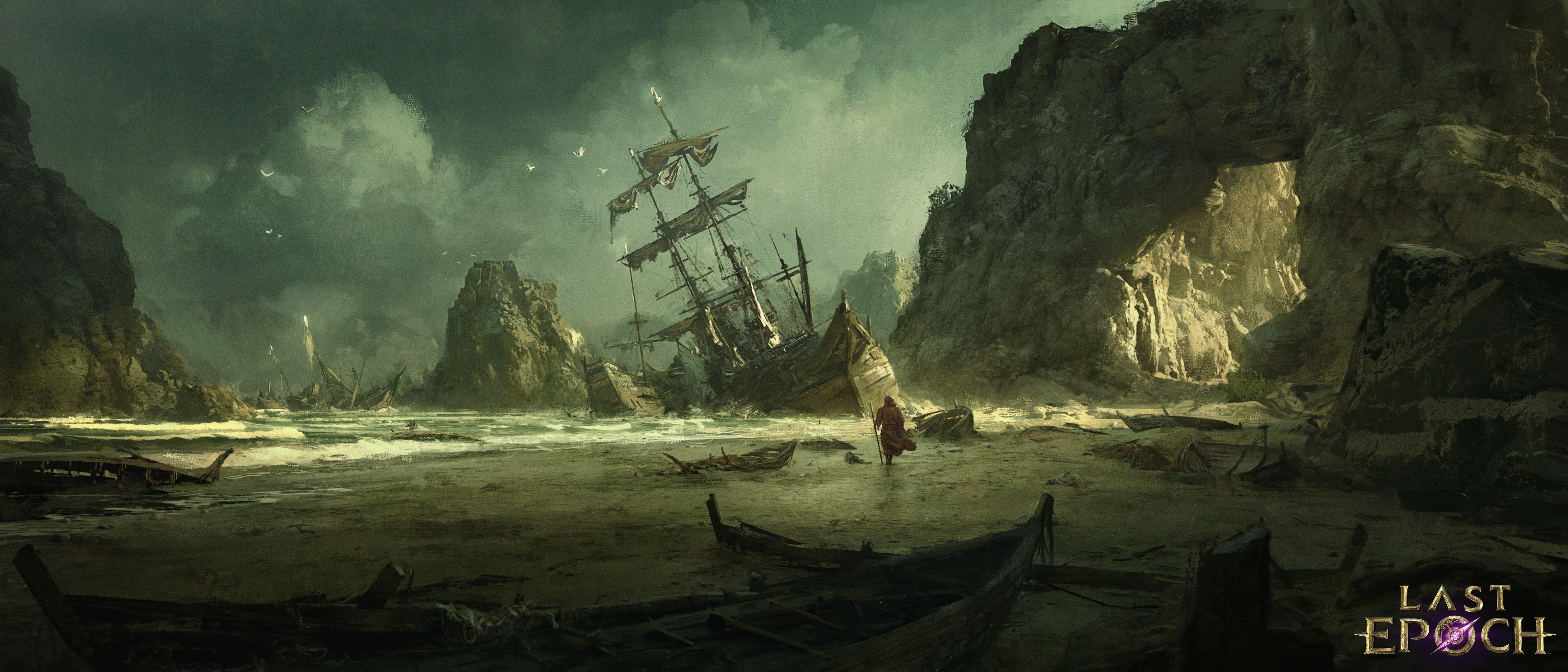
Last Epoch is fully released on Steam for PC. The standard edition contains the complete action RPG, including the campaign, five base classes, 15 Masteries, skill specialization trees, crafting, online co-op, offline play, and the endgame systems. Steam currently lists the standard edition at $34.99, the Deluxe Edition at $49.99, and the Ultimate Edition at $64.99. These are the listed prices reviewed on October 10, 2026; discounts and regional pricing may change what you actually see.
The standard edition provides the core game. Deluxe and Ultimate add optional Epoch Points, pets, armor appearances, portals, and a soundtrack rather than combat advantages. Choose an upgrade only if its named extras matter to you; playing offline does not automatically prevent you from using owned cosmetics.
Last Epoch Steam release at a glance
Last Epoch entered Steam Early Access on April 30, 2019 and reached its full release on February 21, 2024. It remains in active development through seasonal releases and hotfixes. As of this review, Season 5: Rage of the Frostborn is active and the current confirmed hotfix is 1.5.2.1.
The Steam listing identifies Last Epoch as an action RPG with single-player and online co-op. Its central progression loop combines real-time combat, randomized loot, item crafting, class specialization, and repeatable endgame activities. Each character begins as one of five base classes and later chooses a Mastery, for 15 Masteries in total. Skills have individual specialization trees, so changing the nodes attached to a skill can substantially alter how that skill behaves.
The campaign moves through different eras of Eterra. After the campaign, the major repeatable activities include the Monolith of Fate, Arena, and endgame dungeons. These systems are part of the game itself, not separate purchases listed in the Steam edition descriptions.
Steam marks the game with the following store features:
- Single-player
- Online co-op
- In-app purchases
- Steam Cloud
- Steam Deck Verified status
- Adjustable text size
- Color alternatives
- Camera comfort options
- Custom volume controls
- Stereo sound
The Steam Deck badge is useful as a storefront compatibility signal, but it does not guarantee a particular frame rate, battery duration, graphics preset, or identical results on every device. The Verified label does not establish those performance claims and should not be inferred from the badge alone.
What playing Last Epoch is actually like
Last Epoch is designed around building a character rather than controlling a large rotation of unrelated abilities. You place five skills on the action bar, then specialize selected skills through their own trees. A node may change damage type, targeting, utility, summoned units, or another part of a skill’s behavior. The official game description gives examples such as turning skeletons into archers or changing Lightning Blast into chain lightning.
Loot and crafting are equally important. Enemies drop randomized equipment, while the forge gives you ways to develop suitable items instead of waiting exclusively for a perfect finished drop. Unique and set items can change build rules, while later systems support more advanced item progression. This makes the game a stronger fit for someone who enjoys studying interactions, revising a build, and gradually improving equipment.
The structure is approachable at the start but becomes more demanding as difficulty rises. You can move through the campaign, establish a working build, enter Monolith timelines, and then pursue stronger equipment and higher corruption. Arena and dungeons offer additional endgame objectives. Hardcore and Solo Self-Found options also exist for players who want stricter conditions.
Online multiplayer allows a party of up to four players. Offline play is available for a solo character, but online and offline characters cannot be transferred between the two environments. That boundary matters more than the edition choice: decide how you want to play before investing significant time in a character.
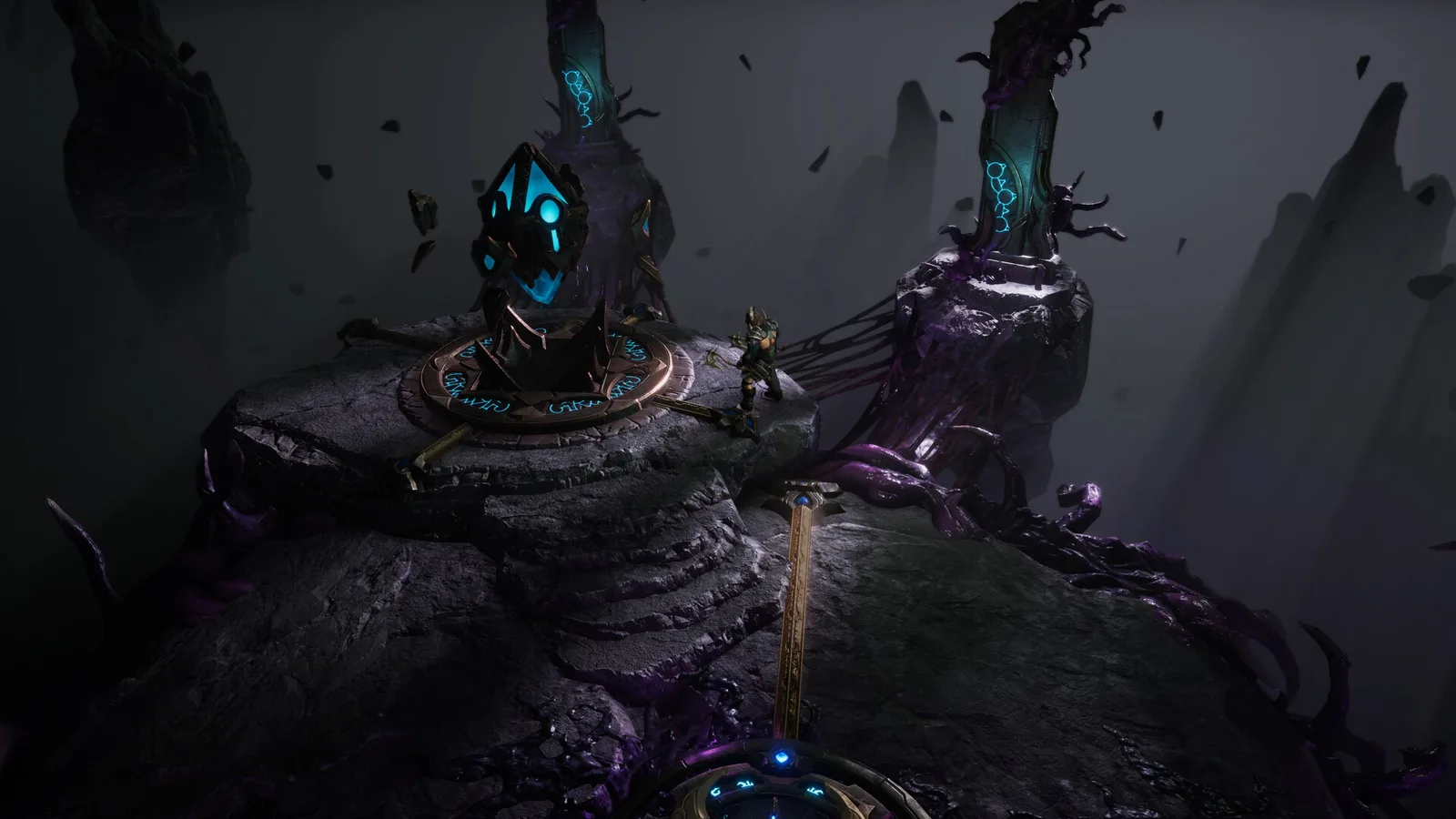
An official environment screenshot showing a floating island and glowing portal.
Standard, Deluxe, and Ultimate editions compared
The standard edition is the correct default for most buyers because it provides the game without requiring payment for cosmetic extras. The Deluxe and Ultimate packages add optional rewards rather than stronger characters or exclusive progression systems.
| Edition | Listed price | Included game access | Notable extras shown by Steam | Best fit |
|---|---|---|---|---|
| Standard | $34.99 | Full Last Epoch game | No edition bundle required | Players who want all core gameplay and do not need cosmetic rewards |
| Deluxe | $49.99 | Full Last Epoch game | 50 Epoch Points, Adolescent Chronowyrm pet, Fallen Ronin armor set, Firefly’s Refuge portal, and digital soundtrack | Players who want the smaller cosmetic bundle |
| Ultimate | $64.99 | Full Last Epoch game | 100 Epoch Points, multiple pets, armor sets and portals, plus the digital soundtrack | Players who want the larger collection of cosmetic rewards |
The Ultimate package specifically lists the Adolescent and Adult Chronowyrm pets, Twilight Fox pet, Fallen Ronin and Temporal Guardian armor sets, Firefly’s Refuge and Celestial Way portals, 100 Epoch Points, and the original digital soundtrack. These extras do not establish a gameplay advantage.
Owned cosmetics can be used in Offline and True Offline modes. Before launching True Offline, first open the Appearance panel in ordinary Offline or Online mode so the cosmetic files are imported for offline use. Press Shift+K to open the panel and check that your cosmetics appear. The Steam bundle descriptions still display an older offline restriction, but the official support instructions updated on October 4, 2026 describe the current preparation process.
The store also offers edition upgrades and individual content associated with the game. Check whether you already own the standard edition before buying an upgrade. A full edition package and an edition upgrade are not the same product, even if their names and images look similar.
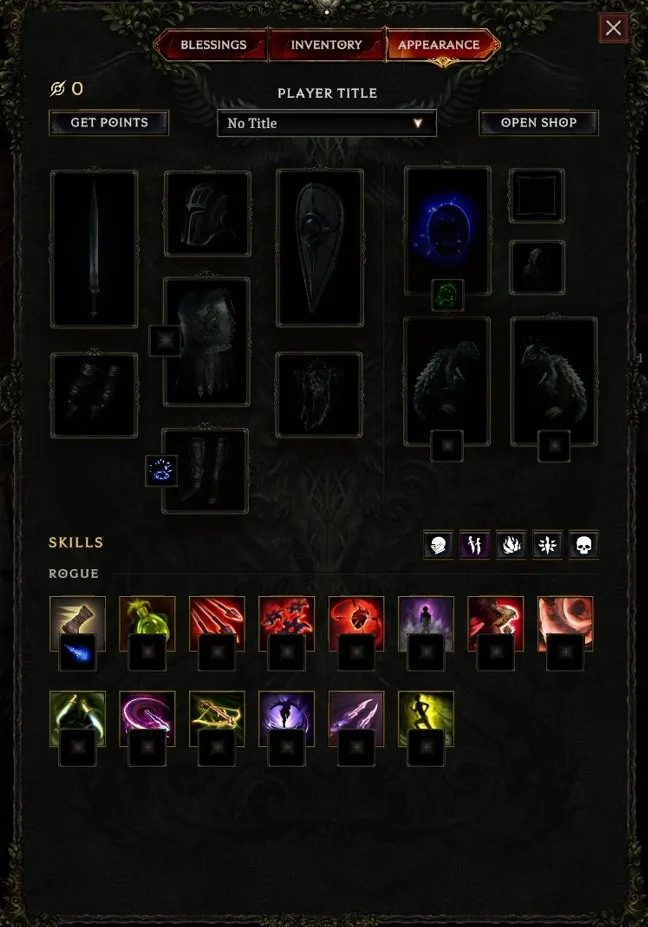
The Appearance panel holds owned cosmetics. Open it in ordinary Offline or Online mode before launching True Offline.
Steam system requirements
The Steam page lists Windows 10, a 64-bit processor and operating system, DirectX 11, a broadband internet connection, and 22 GB of available storage at both requirement levels. An SSD is strongly recommended.
| Component | Minimum | Recommended |
|---|---|---|
| Operating system | Windows 10, 64-bit | Windows 10, 64-bit |
| Processor | Intel Core i5-2500 or AMD FX-4350 | Intel Core i5-6500 or AMD Ryzen 3 1200 |
| Memory | 8 GB RAM | 16 GB RAM |
| Graphics | Nvidia GTX 1060 or AMD RX 580 with 6 GB VRAM | Nvidia RTX 3060 or AMD RX 6600 XT with 6 GB or more VRAM |
| DirectX | Version 11 | Version 11 |
| Network | Broadband internet connection | Broadband internet connection |
| Storage | 22 GB available space | 22 GB available space |
| Additional note | SSD strongly recommended | SSD strongly recommended |
Treat the minimum specification as an entry requirement, not a promise of a particular resolution, graphics setting, or frame rate. The recommended specification is the safer target when comparing your PC, but Steam does not provide a performance target alongside it in the store listing.
Before purchasing, compare the exact GPU model and VRAM, not only the manufacturer name. A graphics card from the same product family can have a different performance level or memory capacity. Also leave more free disk space than the listed installation size when possible, because Steam needs working room for downloads and updates.
The official system requirements name Windows 10. They do not establish native macOS or Linux releases, so do not assume that ownership on Steam guarantees native support on those operating systems. Steam Deck Verified is a separate compatibility designation and should not be generalized into a native desktop Linux claim.
Online, offline, accounts, and Steam Cloud
Choose online or offline mode based on what you need from the character rather than on temporary convenience. Characters cannot move between those environments later.
| Need | Choose online | Choose offline |
|---|---|---|
| Play with other people | Yes | No |
| Use owned cosmetics | Yes | Yes; open Appearance in ordinary Offline or Online before launching True Offline |
| Keep the character isolated from online play | No | Yes |
| Move the same character to the other environment later | No | No |
Steam lists a required Last Epoch third-party account and says it supports linking to a Steam account. It also lists a third-party EULA. Do not assume that a Steam purchase removes every separate account condition shown on the product page.
Steam Cloud is listed as a feature, but it should not be treated as permission to move an offline character into the online environment. Cloud synchronization and character-environment eligibility solve different problems. Steam Cloud concerns supported synchronized files; the online-versus-offline restriction concerns where a character is valid.
Online play provides co-op and access to connected cosmetic content, but it can also be affected by service availability. Individual Steam reviews report connectivity and loading complaints, especially around seasonal activity. Those reports are useful warnings, but they are personal, version-dependent accounts rather than guaranteed outcomes for every player. Check the current game version and service status when diagnosing an online failure instead of assuming an old review describes the present build.
What to check before buying on Steam
Use this short decision path to avoid paying for features you will not use:
- Confirm that you want an action RPG built around loot and character construction. Last Epoch rewards repeated combat, gear evaluation, crafting, and skill-tree decisions. It is not primarily a one-and-done narrative game.
- Compare your PC with the listed requirements. Pay particular attention to RAM, GPU VRAM, and free SSD space. Do not rely on an unsupported performance estimate.
- Choose online or offline play before committing to a character. Online and offline characters cannot be transferred between environments.
- Start with the standard edition unless the named extras matter to you. The higher editions add cosmetic rewards, Epoch Points, and a soundtrack rather than required gameplay systems.
- Prepare cosmetics before True Offline play. Open the Appearance panel in ordinary Offline or Online mode first, then confirm that your owned cosmetics are available before relying on a disconnected session.
- Read package names carefully. Distinguish the full Deluxe or Ultimate Edition from an upgrade intended for an existing owner.
- Check the price displayed in your own Steam region. The dollar amounts above reproduce the reviewed listing, but Steam discounts and regional prices can change.
- Update before diagnosing a known issue. The confirmed current baseline is hotfix 1.5.2.1. Exit the game and allow Steam to download an available update; if Steam does not show it, restart the Steam client.
How to evaluate Steam reviews without losing context
Steam reviews are most helpful when you separate stable design observations from temporary technical reports. Comments about the five-skill action bar, skill specialization, crafting, loot filters, or the feel of combat describe parts of the player experience that you can compare with your own preferences. Reports about login failures, loading loops, visual bugs, or a particular broken quest may depend on the exact patch and date.
Some Steam reviews include criticism of combat feedback, campaign experimentation when changing specialized skills, online connectivity, loading behavior, and endgame repetition. It also includes praise for the surrounding systems, particularly build interactions, crafting, gear, faction choices, and the loot filter. This is not a reliable vote count or a complete measurement of current sentiment; it is a set of individual experiences.
Use reviews to identify your own deal breakers. If combat feedback matters more than build depth, watch unedited gameplay and pay attention to movement and attacks. If you mainly want theorycrafting, compare skill and item interactions. If online co-op is essential, check recent connectivity reports and their game versions. For offline play, focus on character separation and prepare any owned cosmetics in the Appearance panel before launching True Offline.
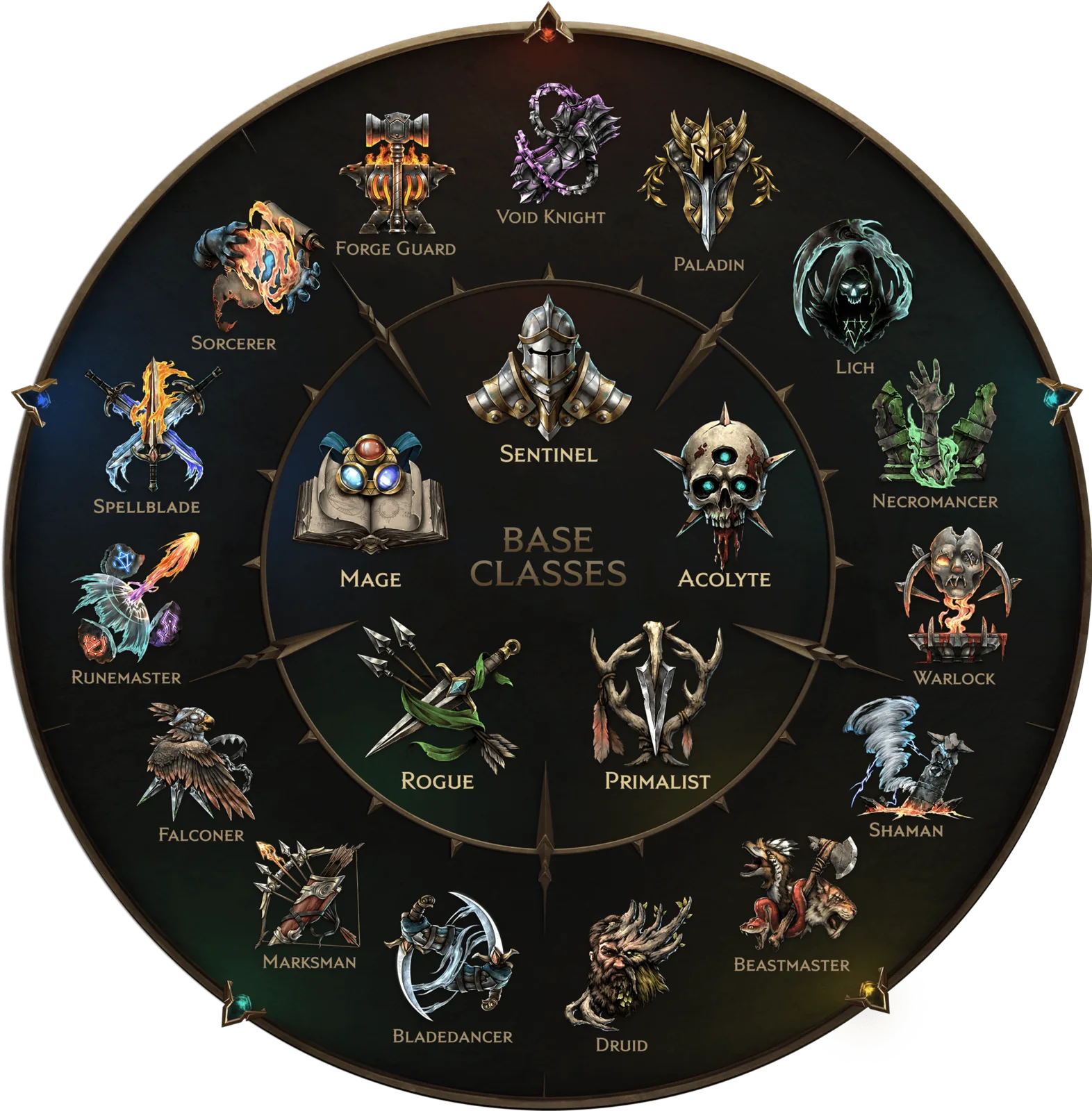
The class wheel summarizes how Last Epoch’s five base classes branch into specialized Masteries.
Steam installation and update checks
After buying the correct package, install Last Epoch through the normal Steam library workflow and verify that enough storage remains for the 22 GB listed requirement plus update overhead. An SSD is strongly recommended by the store requirements.
When an official hotfix is available, fully exit Last Epoch so Steam can apply it. If no download appears, restart Steam and check again. This is the official update guidance attached to hotfix 1.5.2.1 and is the first useful step when your client appears to be behind the released build.
If the game starts but an online feature fails, keep the diagnosis narrow:
- Confirm that Steam has finished all downloads.
- Confirm that you launched the updated game after Steam completed the patch.
- Distinguish an online service problem from an offline gameplay problem.
- Do not expect an offline character to appear as an online character.
- If owned cosmetics are missing in True Offline, first open Appearance in ordinary Offline or Online mode, then relaunch True Offline.
- Compare any bug report with the current version rather than an undated guide or an old Steam review.
These checks do not prove that every remaining problem is local. They simply rule out the most relevant Steam-version, update, mode, and edition mismatches before you investigate a current game issue.